The choice starts with what you still want to use. If you open Instagram to answer a friend, you may want Messages available and Reels closed. If you want a break from Instagram altogether, closing the whole app may suit that moment better.
SwipeLess offers both choices on Android. You can try the settings in the interactive demo; blocking on your phone requires the installed app.
Coming to Google Play for Android. See availability.
The difference at a glance
| Your choice | Feed blocking | Whole app blocking |
|---|---|---|
| What closes | The supported feed you choose. | Every part of the selected app. |
| What stays open | Other parts of that app, where supported. | Other apps you have not blocked. |
| An example | Reels closed; Instagram Messages available. | Instagram closed, including Messages. |
| In Blocks | the named feed (Reels or Shorts) | Block the whole app |
When you want to keep Messages or videos
Choose feed blocking when part of an app is useful to you. Closing Reels can leave room for a conversation in Instagram. Closing Shorts can let you watch the YouTube video you came for without entering the short-video feed.
In Blocks, select Instagram or YouTube, then choose Video feeds → Reels for Instagram or Shorts for YouTube under What closes. The summary shows the feed that will close. Follow the Instagram Reels guide or the YouTube Shorts guide for the full steps.
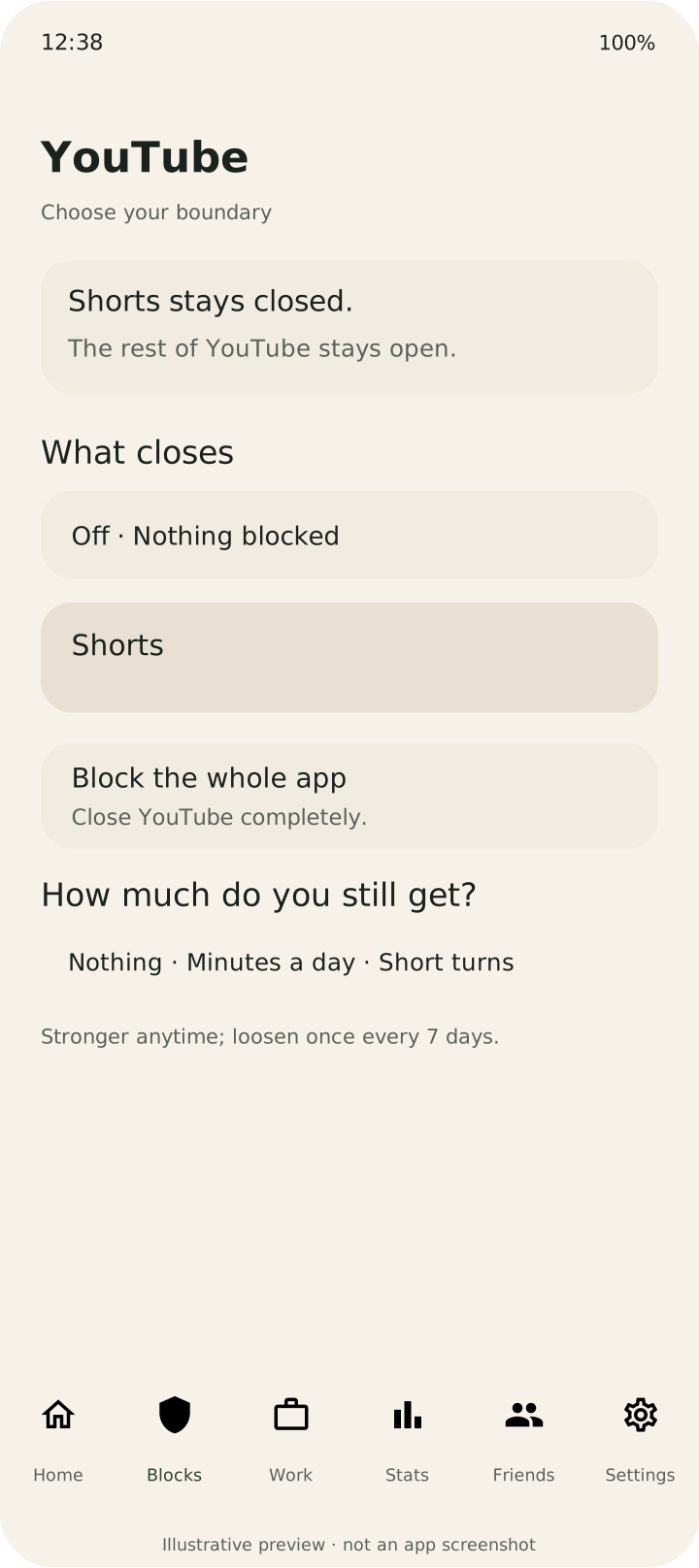
When you want the whole app put away
Choose Block the whole app when every part of that app is something you want to leave alone for now. This also closes its useful features, so consider whether you need a message or another part of the app before saving the setting.
For a timed session across several apps, use Work mode. Select the apps you want to put away, choose a duration and start. You can pause or end the session early. Notification silence is a separate, optional setting.
Decide how much access to allow
After choosing the feed or whole app, choose the allowance. Nothing keeps it closed. Minutes a day gives it a daily amount of time. A few short turns allows limited brief visits, with blocking between turns.
For example, you could leave Reels closed, allow fifteen minutes a day, or choose a few short visits. Start with the setting that reflects what you intend to do, then adjust it if your needs change.
Check the part you expect to close
Feed blocking depends on recognising supported screens. Social app updates and differences between Android devices can affect detection. After saving a setting, open the feed you chose and check that the block appears.
If it still opens, check your blocking access and saved settings. You can send feedback with the affected app, feed and phone model.